

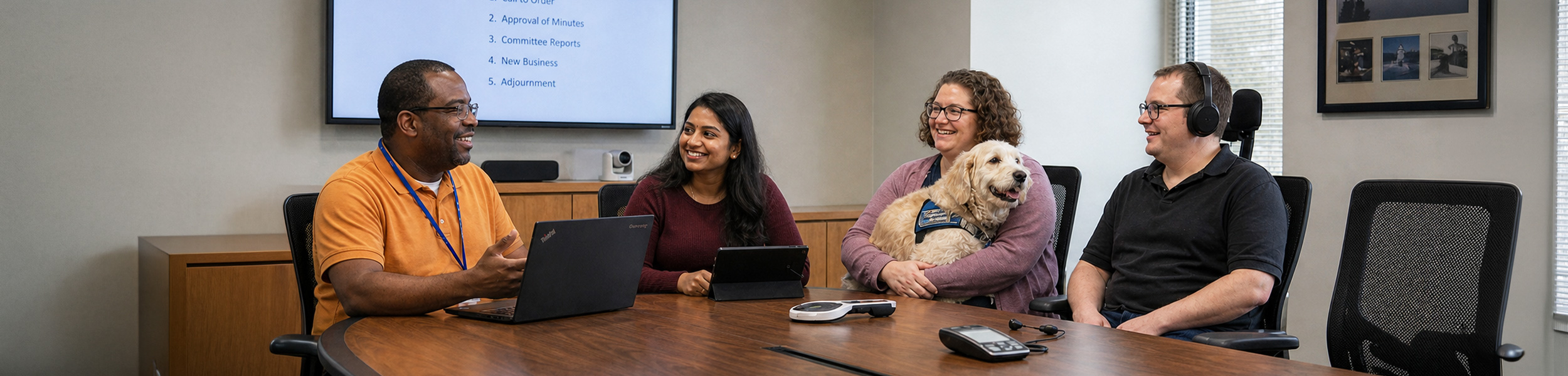
Boards and Committees may consider sharing information with presenters or guests to ensure their presentation is shared in a way that is accessible and inclusive of all Members.
Below are some ideas of information you may want to share with presenters or guests in advance of their attendance at a meeting.
Boards and Committees should support the use of assistive devices and encourage presenters and guests to do so as well.
These tools help people maintain independence and dignity.
Assistive devices can include:
- Digital audio players
- Magnifiers
- White canes
- Hearing aids
- Support animals
- Mobility devices (wheelchairs, scooters, walkers, canes, crutches)
- Personal oxygen tanks
- Electronic notebooks or laptops
- Communication boards
- Screen readers (for example, JAWS, Narrator, VoiceOver, NVDA)
- Closed Captioning
- Sign language interpreters
- Plain (accessible) language materials
- This list is not complete.
Discuss the use of Artificial Intelligence (AI). AI is increasingly being used as assistive technology in many different settings. All participants in meetings should disclose the use of AI for recording, documenting and summarizing material. Specific guidelines for the use of AI for Board and Committee meetings or materials may be provided by the organization.
During Presentations: Communication
Before the presentation
- Ask people in advance what communication supports they need (for example, ASL or closed captioning).
- Provide materials ahead of time so people can review them.
Reduce distractions
- Do not stand in front of bright windows.
- Move away from noisy equipment.
During the Presentation: Speaking and Clarity
- Get people’s attention before you speak; use both visual cues (for example, a hand wave) and verbal cues.
- Clearly introduce yourself and the purpose of the presentation.
- Use plain (accessible) language and short sentences.
- Give direct, clear explanations and instructions.
- Be clear about what you expect from participants.
- Ask if people can see and hear you clearly.
- Speak clearly and at a moderate pace; do not shout.
- Keep your hands away from your face and do not cover your mouth.
- When answering a question, speak directly to the person and maintain eye contact.
- When possible, speak at the same eye level as the person.
Organizing Information and Pacing
- Break information into smaller sections, each with a clear focus.
- Take breaks throughout the presentation.
- Give people time to think and process information.
Different Ways to Share Information
- Use a mix of methods to share information (for example, speaking, written text, slides, pictures, video, and discussion).
- Use body language and facial expressions to help convey meaning, when appropriate.
- Be ready to write things down if it helps communication.
- Check for understanding and ask if anyone needs clarification.
- Rephrase information if people do not understand.
- Provide access to recordings of the material when possible.
Accessible Written Materials
- Use high contrast colours for text and background.
- Use black text on a light background whenever possible.
- Use a sans serif font, such as Arial.
- Use large print for documents and communications.
- Provide electronic, accessible copies of all printed materials well before the meeting or event so people using screen readers can access the information.
- For more information, see the Clear Print Accessibility Guidelines.
During Presentations: Offering Assistance
- Ask if there are any accommodations or supports that would help.
- Offer help when it makes sense (for example, opening a door, carrying items). Think, “Would I want help in this situation?”
- If someone seems to need assistance, ask how you can help.
- Wait for permission before providing assistance.
- When guiding a person who is blind or has low vision, offer your arm (at the elbow) and walk slowly.
- Do not touch a person or their assistive device without asking, unless there is an emergency.
- Do not touch or distract service animals; they are working.